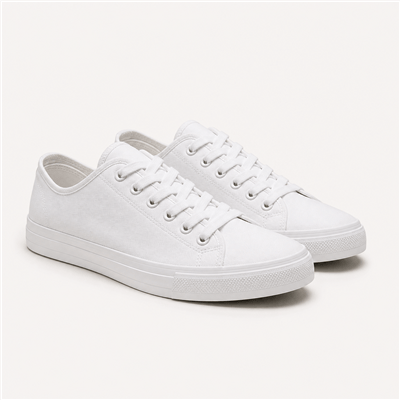

A product from a few photos
Typing up a new product on your phone is slow. Send Ask Kampe up to 20 photos and tell it the price. It writes the product up, with each size and how many you have. You publish it when it looks right.
Ask Kampe
You took the photos hours ago, but the shoes still aren't in your store. Typing out every size and price takes time you don't have. Send the photos to Ask Kampe with the price, and it sets up the product for you. Nothing goes live until you tap publish.
Orders
Create OrderOrders today
8
Cash to collect
UGX 214,000
Paid today
UGX 316,000
#1042 · Nakato Sarah
Cash on delivery · Ntinda
UGX 85,000
Out for delivery
#1045 · Okello Brian
Cash on delivery · Kira
UGX 64,000
Out for delivery
#1047 · Achieng Grace
Cash on delivery · Wandegeya
UGX 65,000
Out for delivery
#1041 · Mukasa Joseph
Mobile money · Kololo
UGX 42,000
Delivered
#1039 · Namubiru Ruth
Mobile money · Entebbe
UGX 120,000
Delivered
#1038 · Ssempala David
Cash on delivery · Mukono
UGX 56,000
Paid
#1036 · Auma Esther
Mobile money · Jinja
UGX 98,000
Delivered
Who still owes me cash from today's deliveries?
Worked for 4s3 credits
Three cash on delivery Orders are out with your riders, with UGX 214,000 to collect:
The rider brought cash for 1042 and 1045
Worked for 3s2 credits
2 Orders · Waiting for you
Paid: cash collectedNo buyer gets an email.
Ask about your Store…
Ask Kampe looks at your own products and orders before it answers. When it changes something, the change shows up as a card in the chat.
Typing up a new product on your phone is slow. Send Ask Kampe up to 20 photos and tell it the price. It writes the product up, with each size and how many you have. You publish it when it looks right.
Not sure what to charge for delivery to Jinja? Tell Ask Kampe where you deliver. It suggests the fees sellers in Uganda usually start with. You can change any fee before you save.
Ask how this week went. Ask Kampe checks your sales and tells you in a sentence. When a chart helps, it draws one.
Want a code for first-time buyers? Ask, and it works straight away. Need a WhatsApp status to go with it? Ask Kampe writes it, and you post it yourself.
Ask Kampe only changes your store in ways you can see. Each change appears in the chat, and most come with an Undo button.
When Ask Kampe saves a change, its card has Undo. You can also open what it replaced.
Orders change only after you tap Confirm. A new product stays a draft until you publish it. An email waits until you tap Send.
Messages to buyers come with a Copy button. Kampe never sends them for you.
Each team member can only ask for what their role already lets them do.
Ask Kampe opens beside every page of your dashboard. Ask about the product you have open, and it knows which one you mean.
Ask how much cash is still out with riders, or how this month compares with last.
Change a price or add a size by asking. It saves the change the way the product editor does.
Tell it what the product is made of. It writes the description and the text Google shows.
Group products into a new collection, or add them to one you already have.
Make a percentage code that works at once, or switch one off.
Set a fee for each area you deliver to, and add a free pickup point.
Ask for an About page or a refund policy. It writes it in your voice, and it can update your menu too.
Put your logo in the header, or run a line like a discount code across the top of your store.
Mark an order paid when the rider brings the cash. Nothing changes until you tap Confirm.
Put several products in one basket and send a single link that opens at checkout.
Open a product or discount form and ask. It fills in the fields while you watch.
Tell it once that you deliver by boda. Every later chat knows.
Each answer uses a few credits, depending on the work. The chat shows how many it used. Every plan comes with credits, and packs start at 500 credits for UGX 5,000.
Launch
500 to start
Pro
4,000 every month
Max
8,000 every month
What sellers ask before they try it.
Anything about your own store. You might ask who still owes you for today's deliveries. Or send photos and ask it to add a product. It won't help with things outside your store.
Small edits save straight away, and each one comes with Undo. Bigger steps wait for you. Orders change only after you tap Confirm, and a new product stays a draft until you publish it. If you ask for a price cut of more than half, it checks with you first.
Each answer uses a few Kampe Credits. Launch starts with 500 credits. Pro includes 4,000 every month, and Max includes 8,000. If you run out, Ask Kampe tells you where to get more.
It works from your real products and orders, but it can still get things wrong. Check each card before you confirm. If a change isn't right, tap Undo.
Ask “What should I do next?”. Ask Kampe sees how far your setup has come and offers to do the next step with you.
Yes. Each member can only ask for what their role already allows. If someone can't handle payments, they can't mark orders paid through Ask Kampe either.
Yes. Tap Ask Kampe on any page of your dashboard and it opens as a tall panel. The cards, Confirm and Undo all work the same.